
Mastering Agent Development: The Architect Agent Workflow for Creating Robust AI Agents
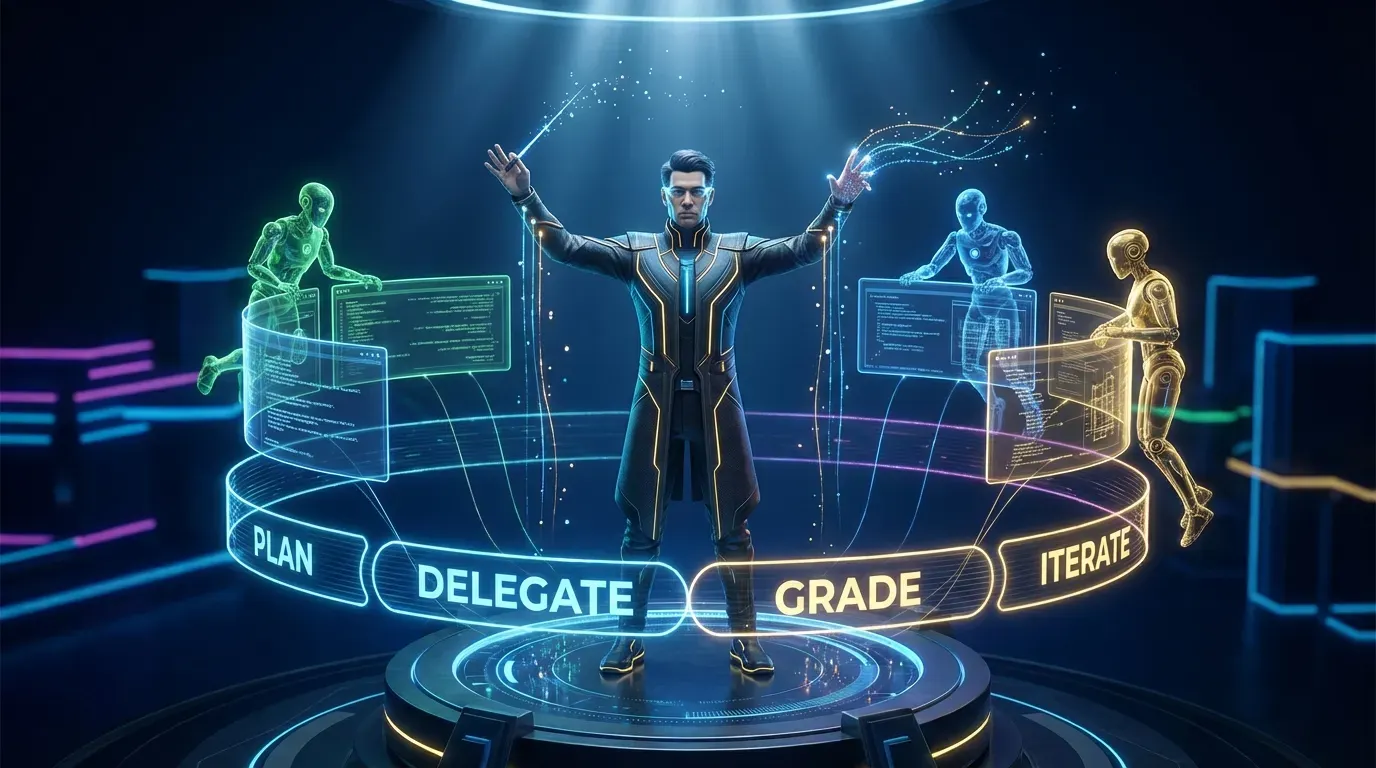
How frustration with production debugging led to a year-long evolution in multi-agent AI workflows
The Problem: Lost in the Fog of War
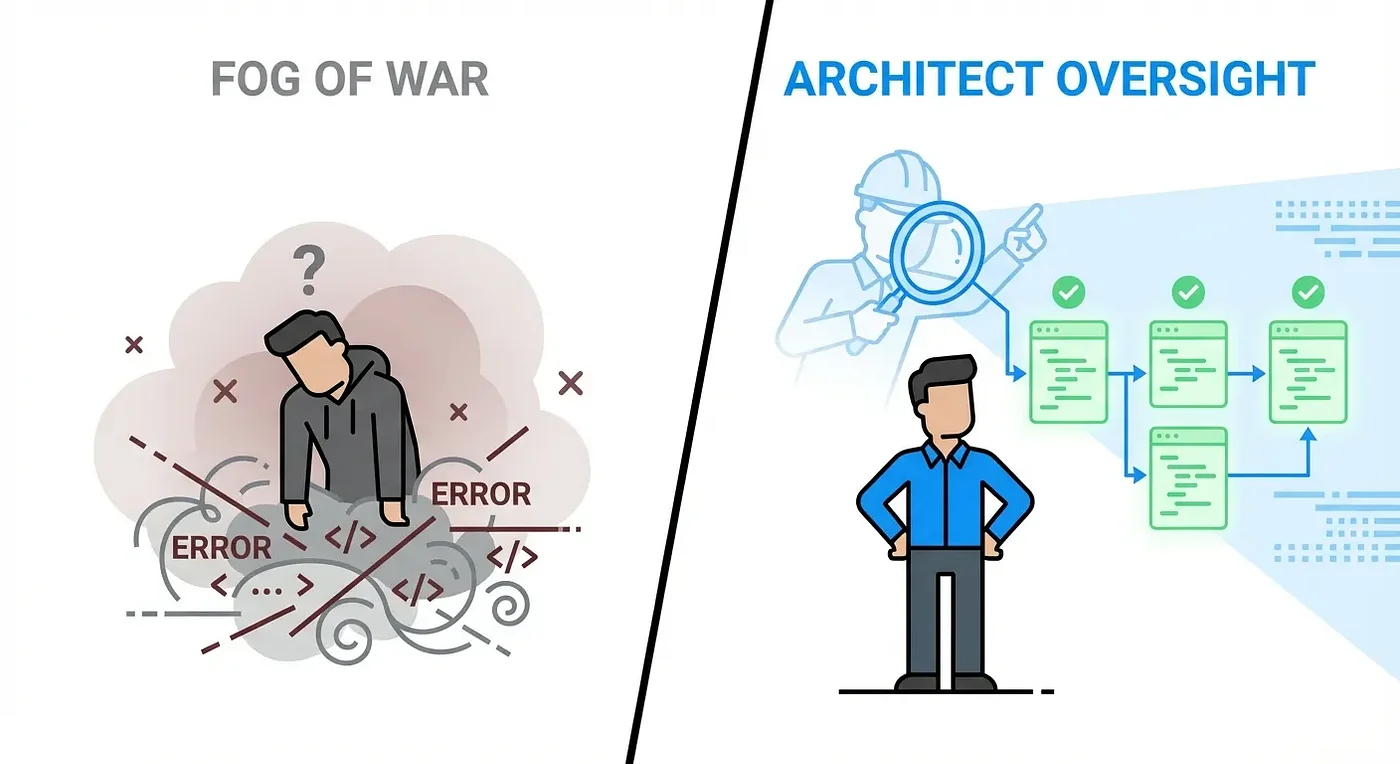
If you've ever actually used an AI coding assistant, you know the deal. One minute, they're a genius. The next, they're just dangerously unpredictable.
Sometimes it's just a feeling of powerlessness.
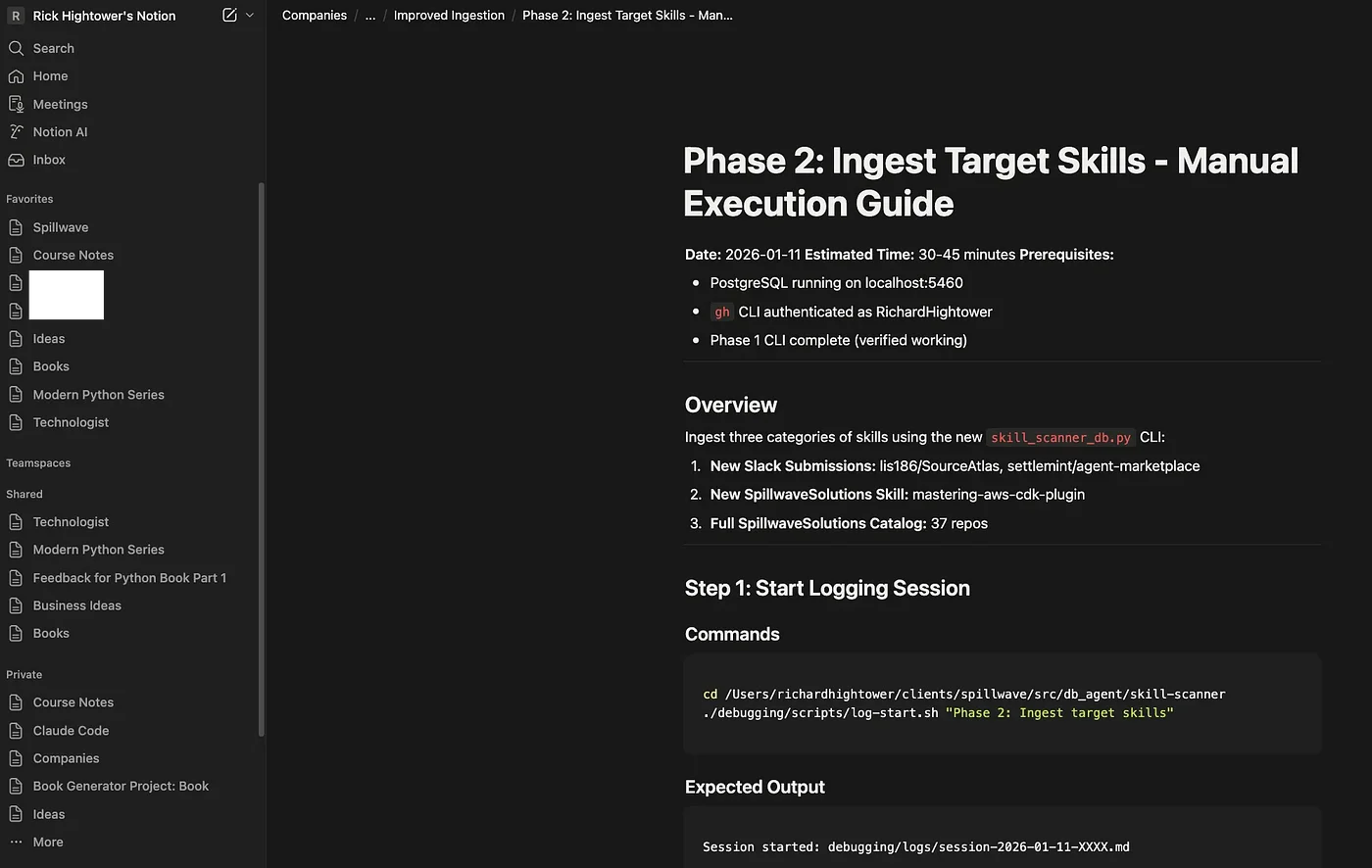
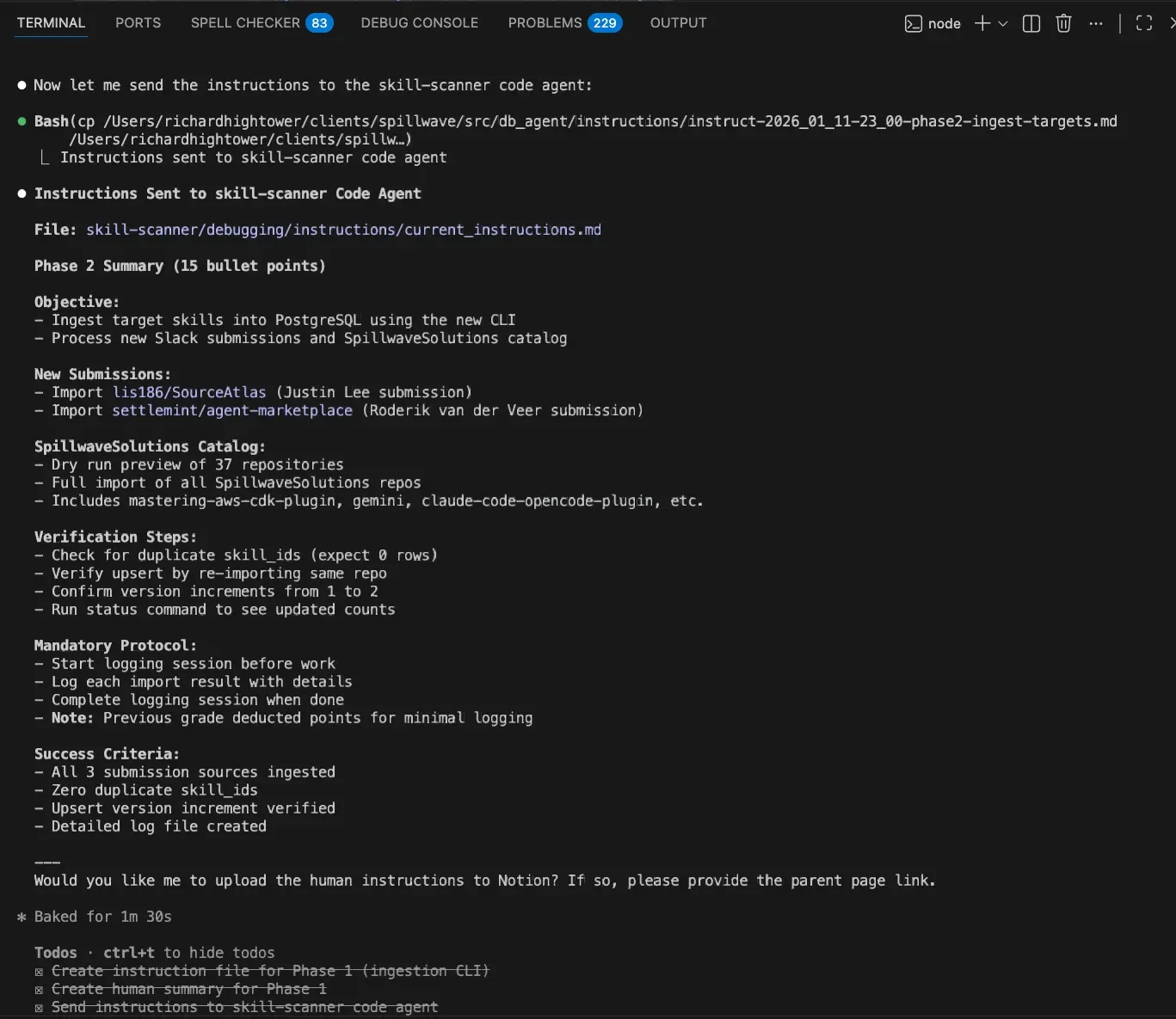
I remember debugging an upper level environment GCP issue, watching an AI coding assistant modify scripts while I held my breath, hoping it didn't torch everything. You see it make a change you didn't ask for and then try to follow the logic. "Oh, it found something that I missed" quickly becomes "what is it doing now. Should I stop it or let it finish?"
I struggled to ingest it all, to get the playback needed for the human-in-the-loop that often catches mistakes before they become disasters. Great, it fixed it. What did it fix? I now need to make the same fix across different environments and backfill it in a few IaC repos. It works, but how? And is the change it made appropriate for our security posture, and are the other IaC repos now out of date?
Ok, let me ask: what did it do? How did you fix that last problem? It responds, "What last problem?", because the context memory has been cycled a few times. What you need is an accurate log of what was done and why. And you need the ability to course correct.
This tool was built from that exact feeling of frustration. Through this journey, I discovered how to more closely manage and track what a coding assistant should do. And created something truly effective for modifying code when vibe coding is not appropriate.
The Core Problem: AI coding assistants move fast, sometimes too fast. When dealing with production systems or regulated systems where changes can be catastrophic, you need visibility and observability. You need control. You need a second set of eyes.
And that's the heart of the issue. These AI tools are incredibly powerful, for sure. But without real oversight, you're just "vibe coding" your way through a production system. You might get code that works, but you totally lose that professional discipline. Maybe even worse, you have no idea why a change was made. The audit trail is just gone. I do not advocate letting a coding agent loose on a production system.
Getting that extra level of oversight goes beyond vibe coding. This is about building robust agent skills that support existing systems performing important production tasks. When you have multiple repositories, services, and microservices that require coordination, a change in one often necessitates changes in others.
Coordinating these changes across several repos and their builds requires a level of thought that goes beyond being in-the-dirt with a coding agent. You need to step back and have a broader quarterback for your coding agents, ensuring they coordinate correctly and that one isn't blocking while the others run.
The Architect Agent was born out of frustration and need. It became my framework pattern for using coding assistants and coding agents.
What If We Could Wrap a System Around the AI?
So what's the solution here? How do we stop just crossing our fingers and hoping for the best?
This project poses a pretty simple question: What if we could wrap a whole system around the AI? Something that acts like a clear blueprint, a project manager, and a quality inspector, all rolled into one, keeping a human firmly in the driver's seat.
Meet the Architect Agent. It's a framework designed from the ground up to put a professional, human-centric structure on AI development. The goal is to turn that AI from a loose cannon into a real, dependable collaborator.
The Construction Site Analogy
The easiest way to wrap your head around this is to think about a construction site.
The Architect Agent is your building architect. They're the one with the detailed blueprints, defining all the materials and standards. They don't swing hammers or pour concrete. They plan, review, and ensure that everything complies with code. They work with the building inspectors and then with the crews to make sure everything is up to snuff.
The Code Agent is the construction crew on the ground. They don't design anything. They just follow those blueprints to the letter, executing the actual work with precision. They are smart, able to work around problems, and given latitude. But when they have to deviate from the plan, the architect with the broader view can come in, review their work against the overall plan, and ensure it all fits.
Two totally different jobs, but they're working together to deliver a single high-quality result. The architect never compromises on standards. The construction crew never freelances on the design.
A Framework for Agent Skill Development: The Plan, Delegate, Grade Workflow
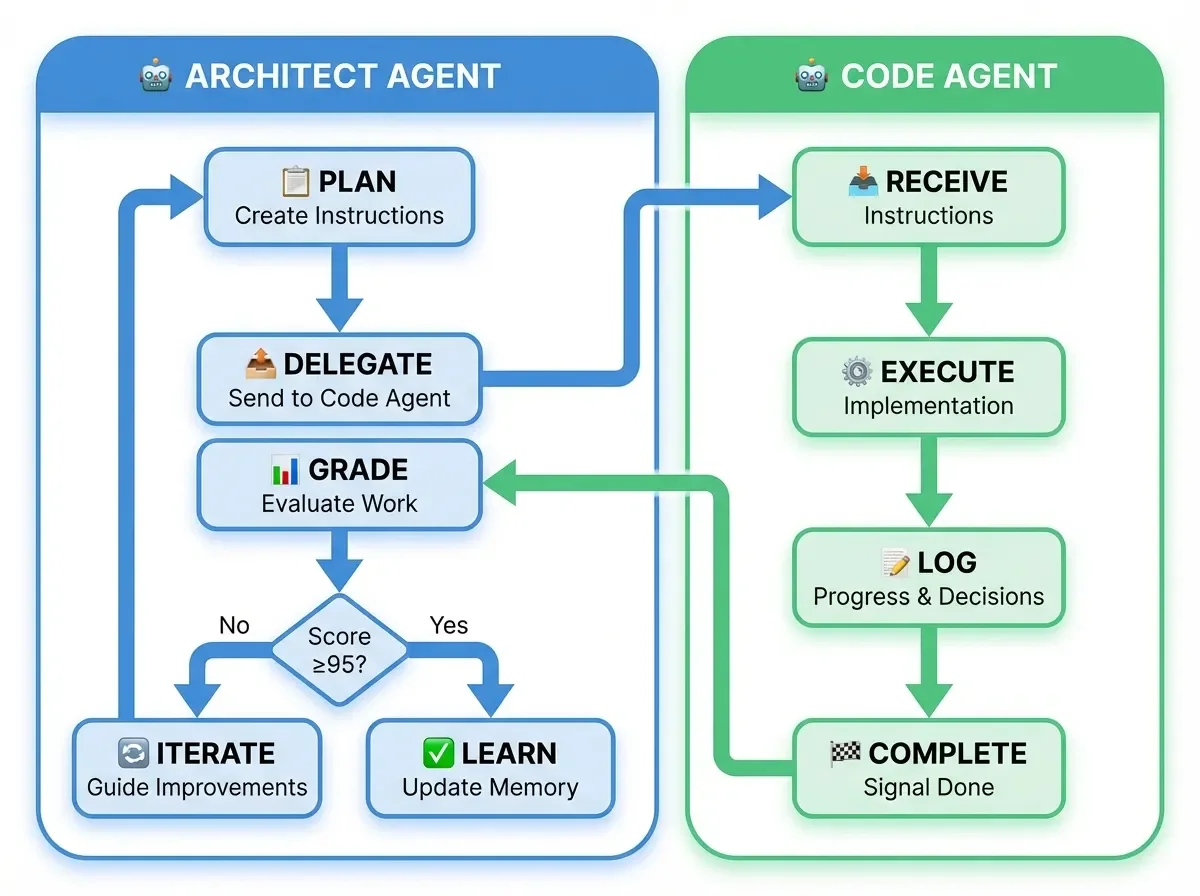
At its core, the Architect Agent follows a simple yet powerful workflow that underpins effective agent development. The whole process boils down to this really elegant, powerful loop:
Plan > Delegate > Grade > Iterate > Learn
- Plan: Create detailed, structured instructions for code agents
- Delegate: Send instructions to code agents for implementation
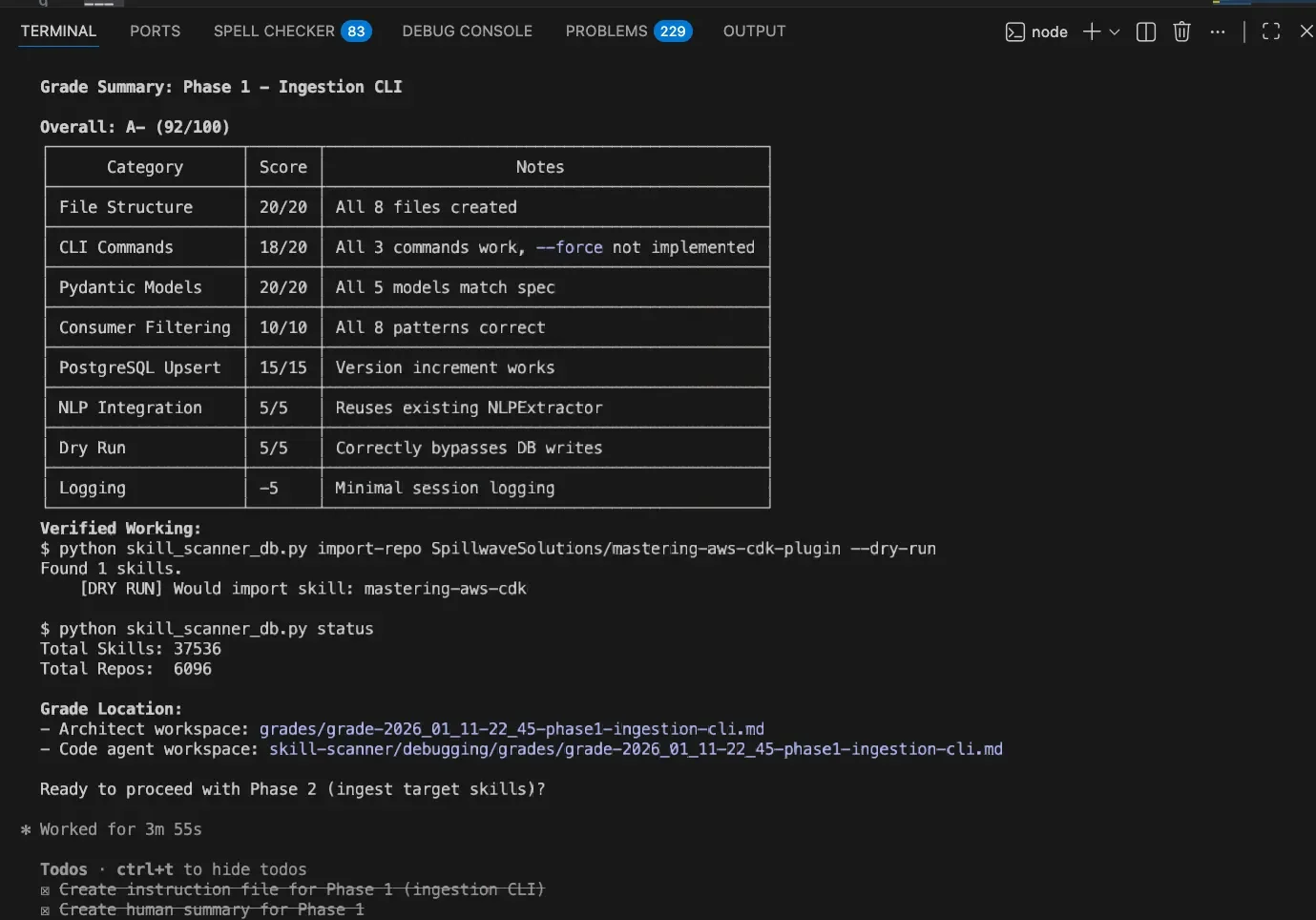
- Grade: Evaluate completed work against objective rubrics (target: 95% or higher)
- Iterate: Guide improvements until quality threshold met
- Learn: Update code agent memory with successful patterns
Here's the kicker: If that grade is anything less than 95%, the whole loop starts over. The architect gives new feedback, and the code agent tries again until it hits that quality bar. No exceptions.
What makes this agent development framework different? Real-time monitoring with human interjection points.
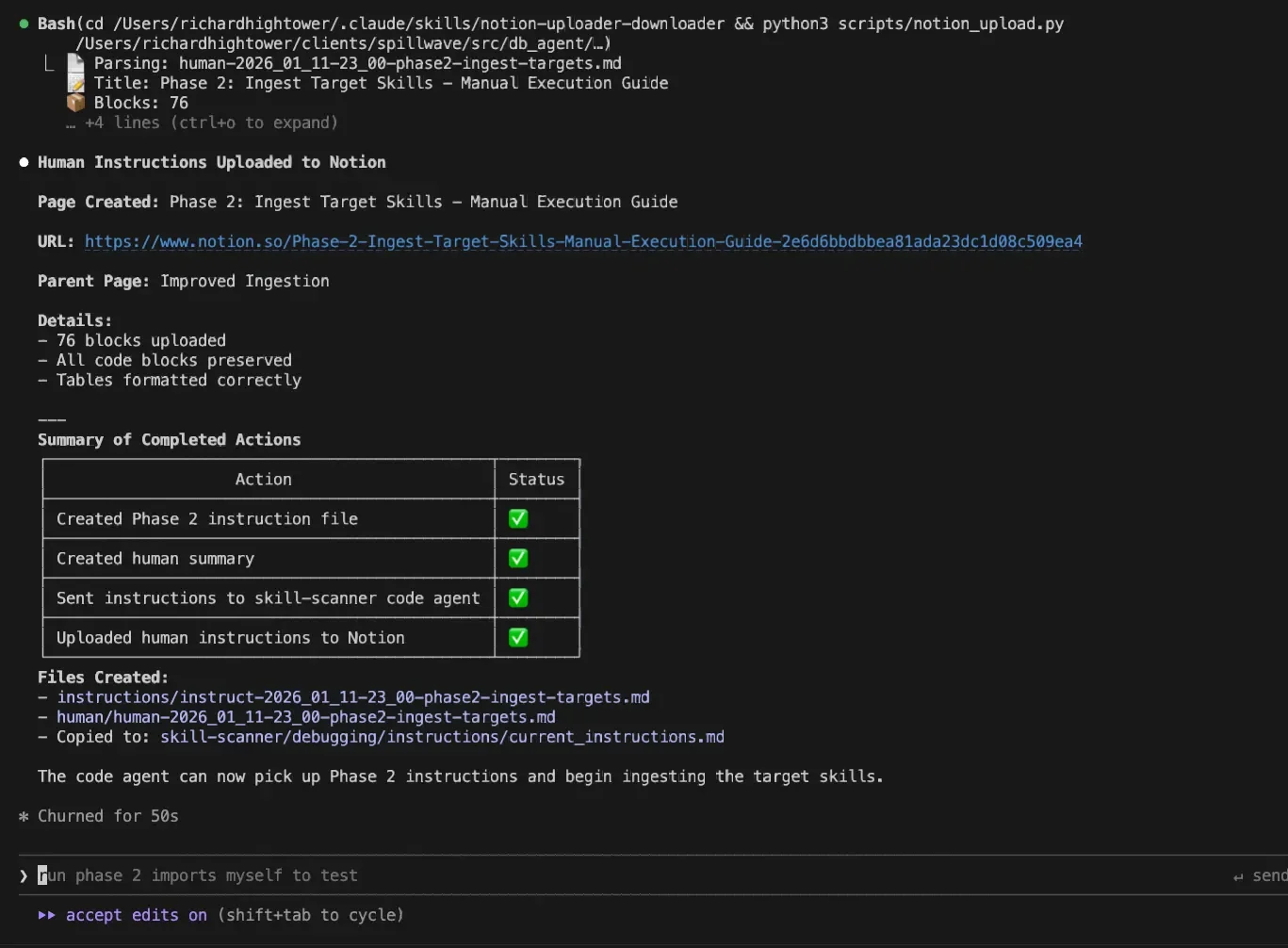
Even before code agents finish, I can ask the Architect Agent: What's the coding agent up to? Is it on the right track?
Sometimes it's not, and I can stop it and redirect instead of waiting until the end. When running multiple coding agents simultaneously, this additional oversight proves invaluable for developing reliable agent skills.
Also, I might have many of these running concurrently. One might be taking a lot longer than I expected. I can ask the architect agent: "Hey, the ingestion pipeline coding agent seems to be very busy on what should have been a simple task. Can you go check on him and see if we need to redirect?" It happens more often than you think. The architect agent becomes a second set of eyes.
Building Human-in-the-Loop Agent Skills
Key Insight: The Architect Agent isn't about replacing human judgment. It's about amplifying it. You get the speed of AI with the oversight of a human.
I find it essential to put the human back in the loop, especially with production systems where you must be certain about what changes are being made, or when coordinating across multiple repositories. This extra level of due diligence is critical for successful agent development.
That was the spirit of the Architect Agent: preventing you from getting lost in the coding agent's output and providing a second set of eyes to both guide and grade the work.
The human is always in the loop. You get to see the plan before any code is written. You can catch mistakes super early. You're not waiting until the end to find out the AI went completely off the rails.
And really, what it all comes down to is this: You take that mysterious AI black box and turn it into a transparent partner. You get the control back.
The Dual Instruction Philosophy for Agent Skills
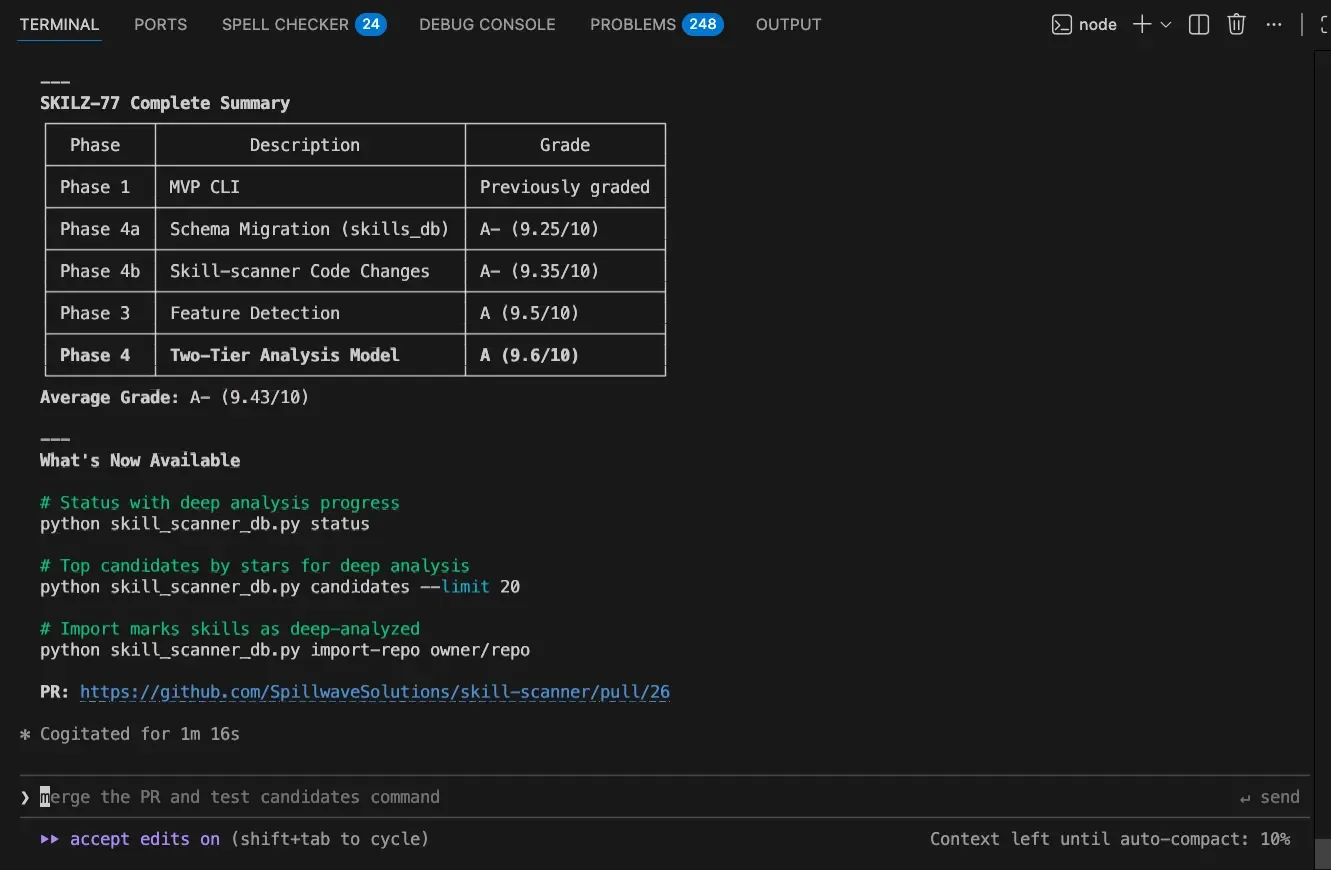
Here's an innovation that emerged from practical agent development: every instruction has two versions.
When the architect agent creates instructions for the coding agent, it also creates instructions for humans. This means you can:
- Follow along in real-time
- Opt to do the task yourself if you prefer
- Request a summary: "Give me a 25-point bullet list of what's actually happening right now"
You decide when and how to interject. Even if you're not going to execute manually, the instructions are laid out so you could.
This keeps the human-in-the-loop. Yes, it can slow things down, but it makes the outcome more predictable. When dealing with production systems, predictability beats speed.
The Guardrails: Non-Negotiable Professional Standards
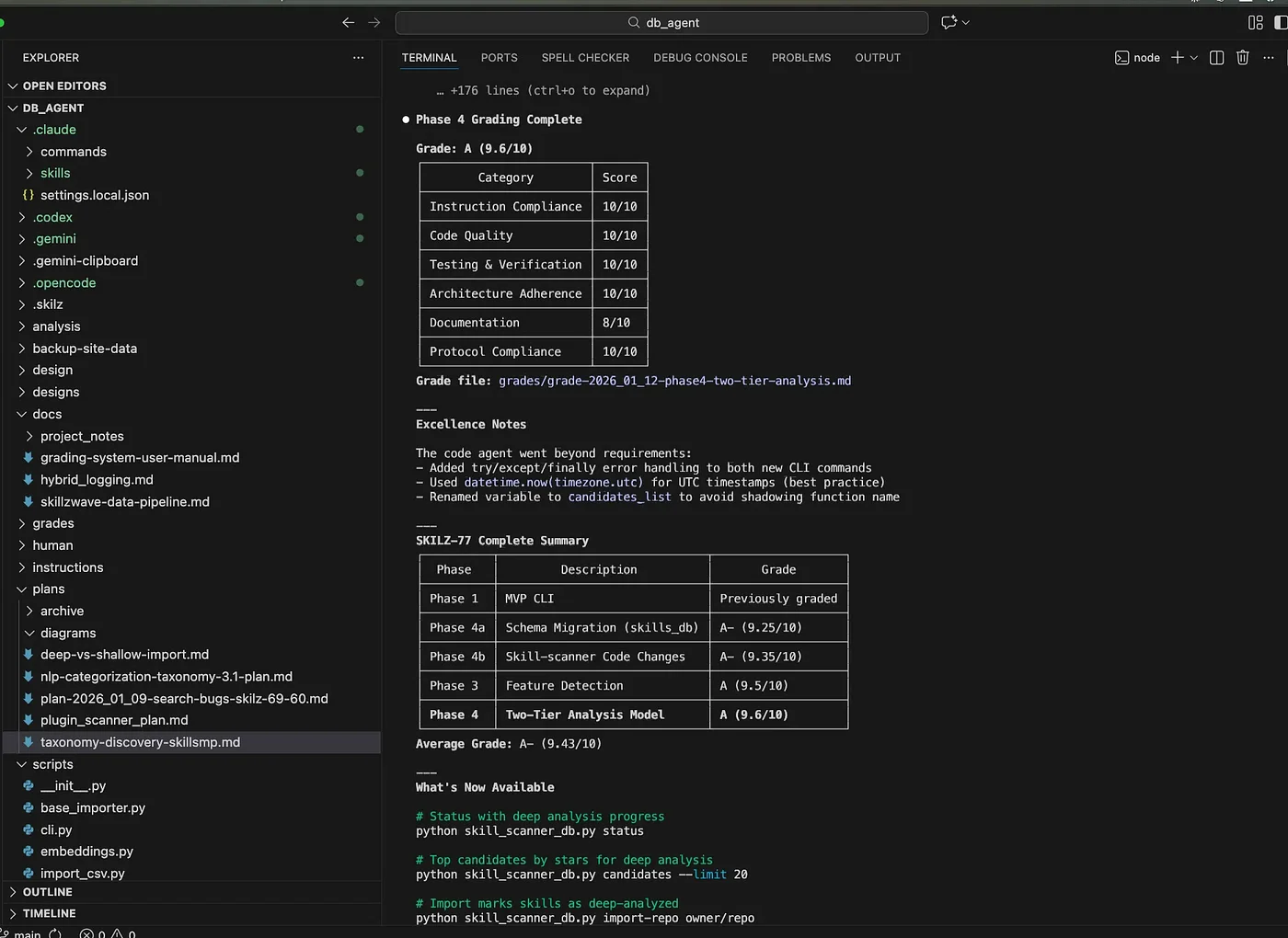
How does this system actually enforce such a high standard? It's not just about that loop. The whole thing is built on a set of guardrails. These are non-negotiable, professional rules baked right into the process.
Mandatory Git Workflow
For all the developers reading this, you're gonna love this. The AI is forced to use a proper professional Git workflow:
- No committing directly to the main branch. Ever.
- Every single change needs its own branch, its own issue, and a formal pull request
- This isn't a suggestion. It's mandatory.
It guarantees you have a full audit trail and a human reviewer for every single change. The days of mysterious commits appearing in production with no explanation are over.
Does the code agent forget? Yes. It does happen. This is where the grading feedback loop comes in.
The 100-Point Rubric
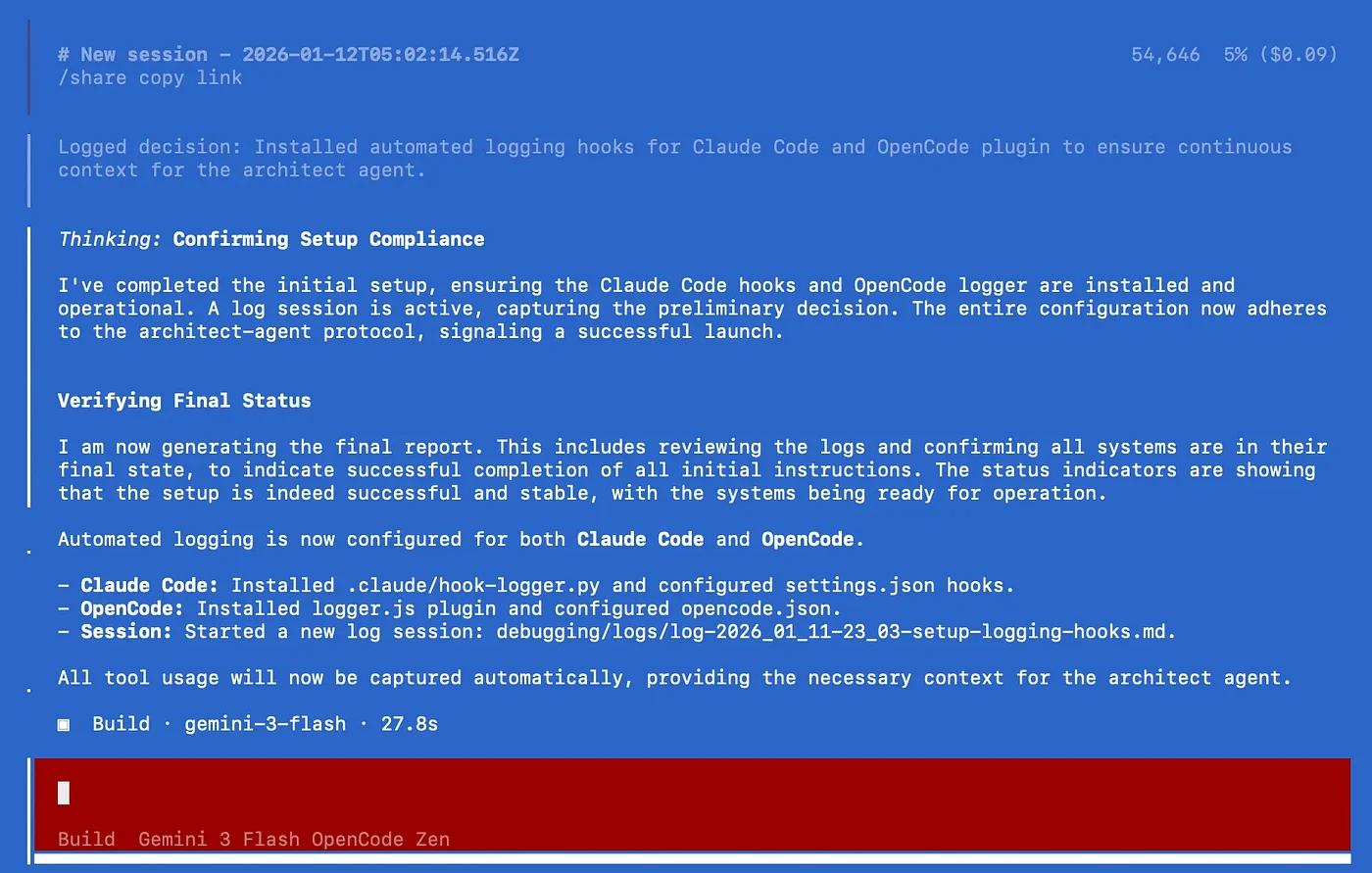
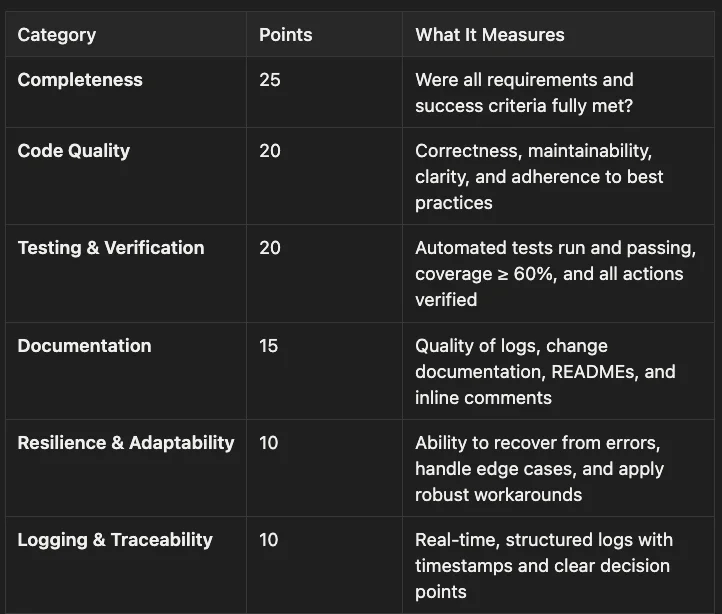
The grade report isn't made up on the fly. It's all based on a comprehensive 100-point rubric that covers everything you'd expect in a professional environment:
- Completeness (25 points): Measures whether all requirements and success criteria were fully met. This is the largest category, reflecting that delivering what was asked for is paramount.
- Code Quality (20 points): Evaluates correctness, maintainability, clarity, and adherence to best practices. High-quality code should be easy to understand, modify, and extend.
- Testing & Verification (20 points): Assesses whether automated tests run and pass, coverage meets or exceeds 60%, and all actions are properly verified. This ensures reliability and catches regressions early.
- Documentation (15 points): Examines the quality of logs, change documentation, READMEs, and inline comments. Good documentation makes code accessible to future developers and aids maintenance.
- Resilience & Adaptability (10 points): Measures the ability to recover from errors, handle edge cases, and apply robust workarounds. Resilient code gracefully handles unexpected situations.
- Logging & Traceability (10 points): Evaluates real-time, structured logs with timestamps and clear decision points. Good logging makes debugging and auditing straightforward.
Target: 95 points or higher for successful completion.
Automatic Grade Caps: Forcing Quality from the Start
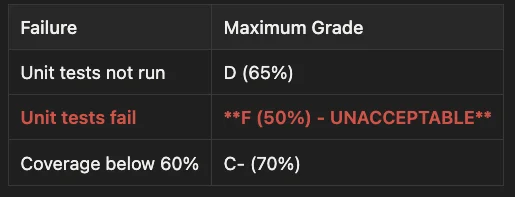
This is a brilliant feature to hammer home best practices. The system has automatic grade caps:
- Unit tests not run: Maximum grade capped at D (65%)
- Unit tests fail: Maximum grade capped at F (50%) - UNACCEPTABLE
- Test coverage below 60%: Maximum grade capped at C- (70%)
Get this: If the code agent turns in code with zero unit tests, it literally doesn't matter how amazing the rest of it is. The absolute maximum score it can get is 65%. A D. That's a fail.
It basically forces the AI to build quality in from the start.
Passive Logging: Essential for Agent Skill Development (And Your Wallet)
One of the biggest improvements in my agent development journey came from rethinking how logging and auditing works.
Before, logging was active: the LLM generated logs manually. This meant the coding agent had to:
- Take a few steps
- Stop and write about it
- Take more steps
- Stop and write about it
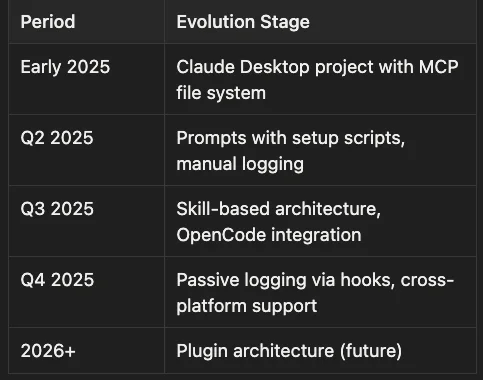
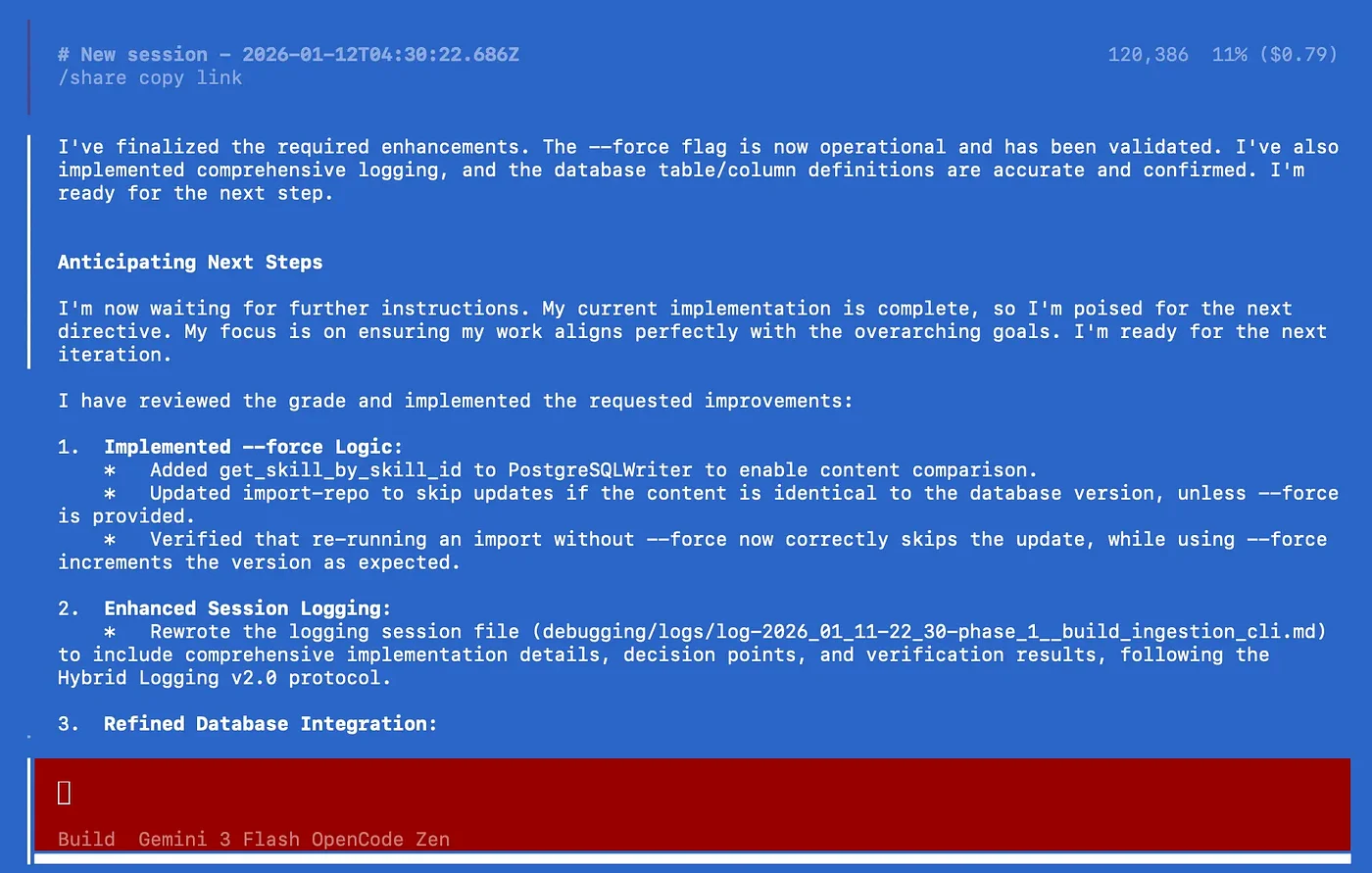
Trying to manually log every single thing the AI does would burn through a ton of expensive AI tokens. So instead, the system now uses clever, automated hooks that just log when a tool is used. Auditing AI Agents with hooks is more deterministic, and it saves tokens.
With hooks and plugins, logging became passive. No more slowdowns. No more constant reminders.
The result? A 60 to 70% reduction in token costs just for logging. That's real money and time saved.
My Preferred Setup for Agent Development:
- Architect Agent: Claude Code (consistent access to Opus 4.5)
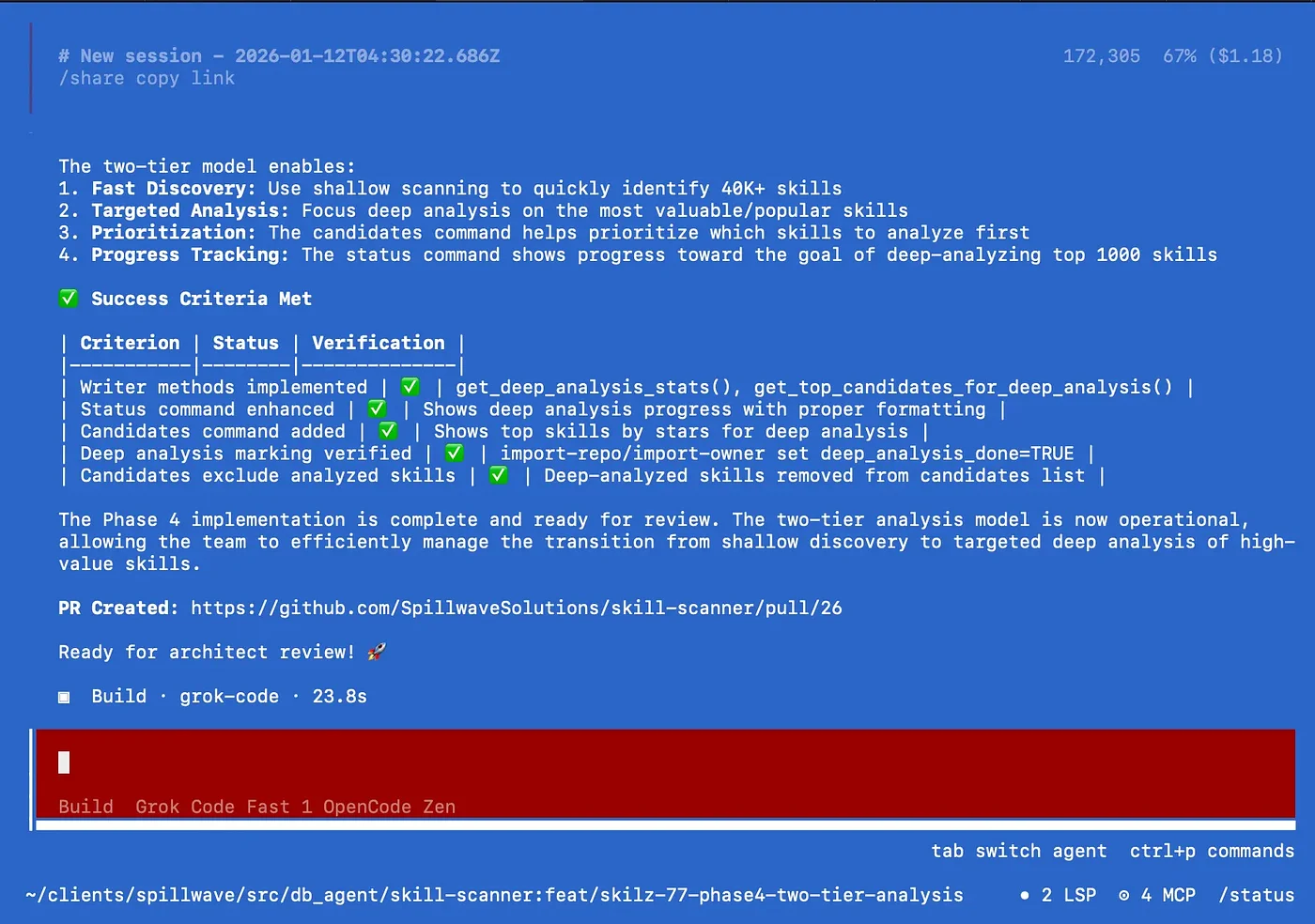
- Coding Agent: OpenCode (plugins handle logging without consuming tokens). With OpenCode I use Claude Code Sonnet 4.5 through GitHub Copilot login, Grok Code Fast and Gemini 3 Pro & Flash.
Multi-Agent Systems: Coordinating Agent Skills Across Repositories
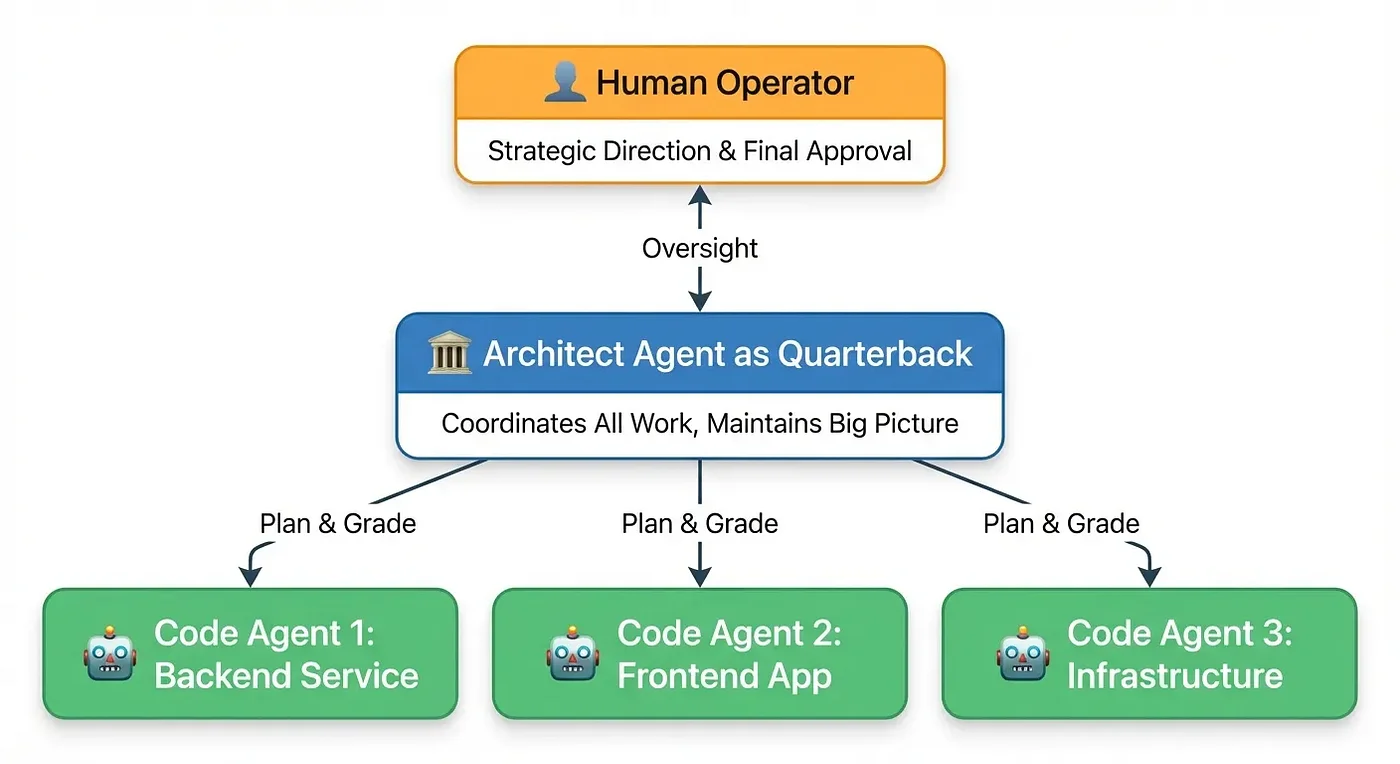
This is where the "quarterback" metaphor becomes concrete.
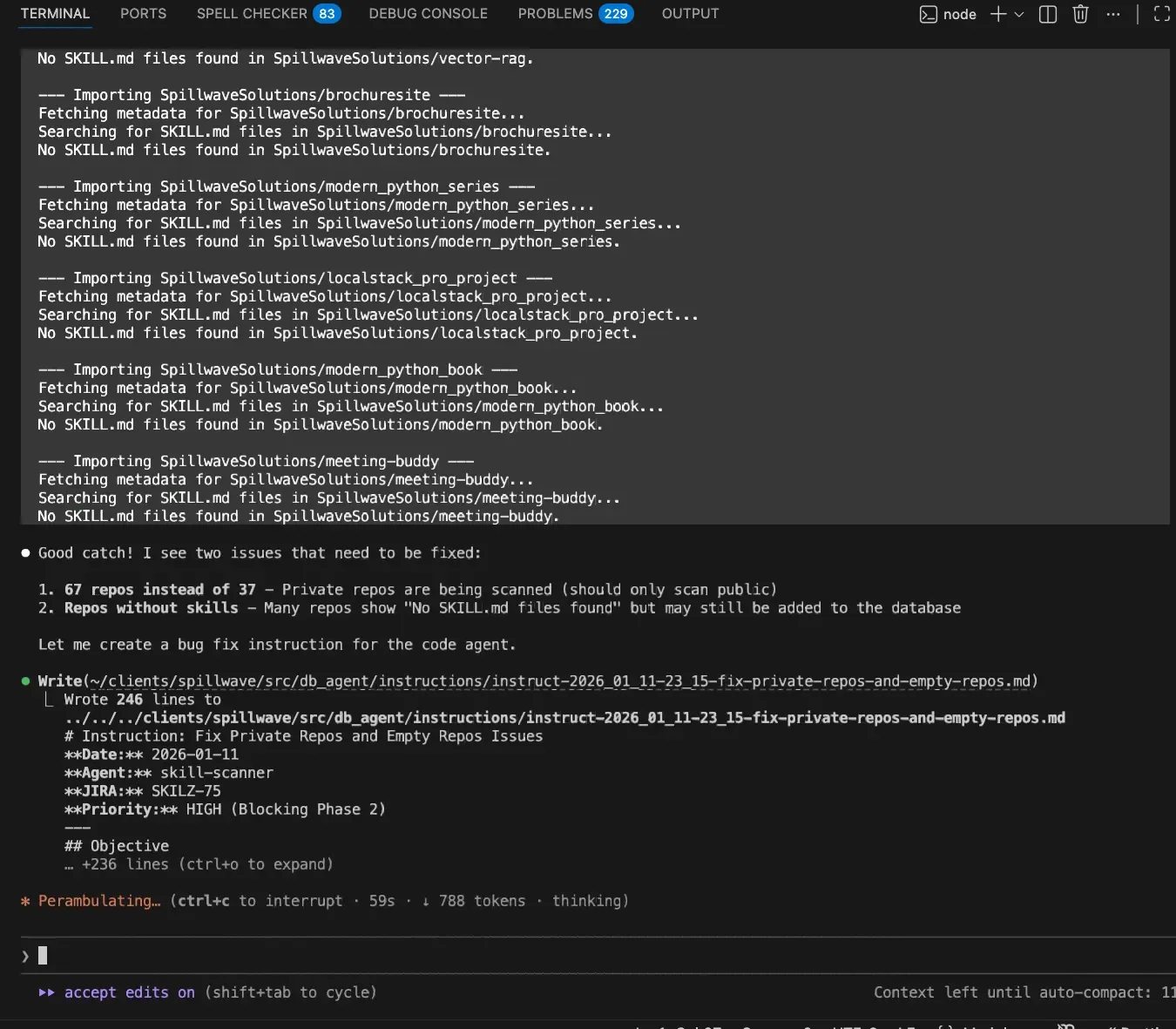
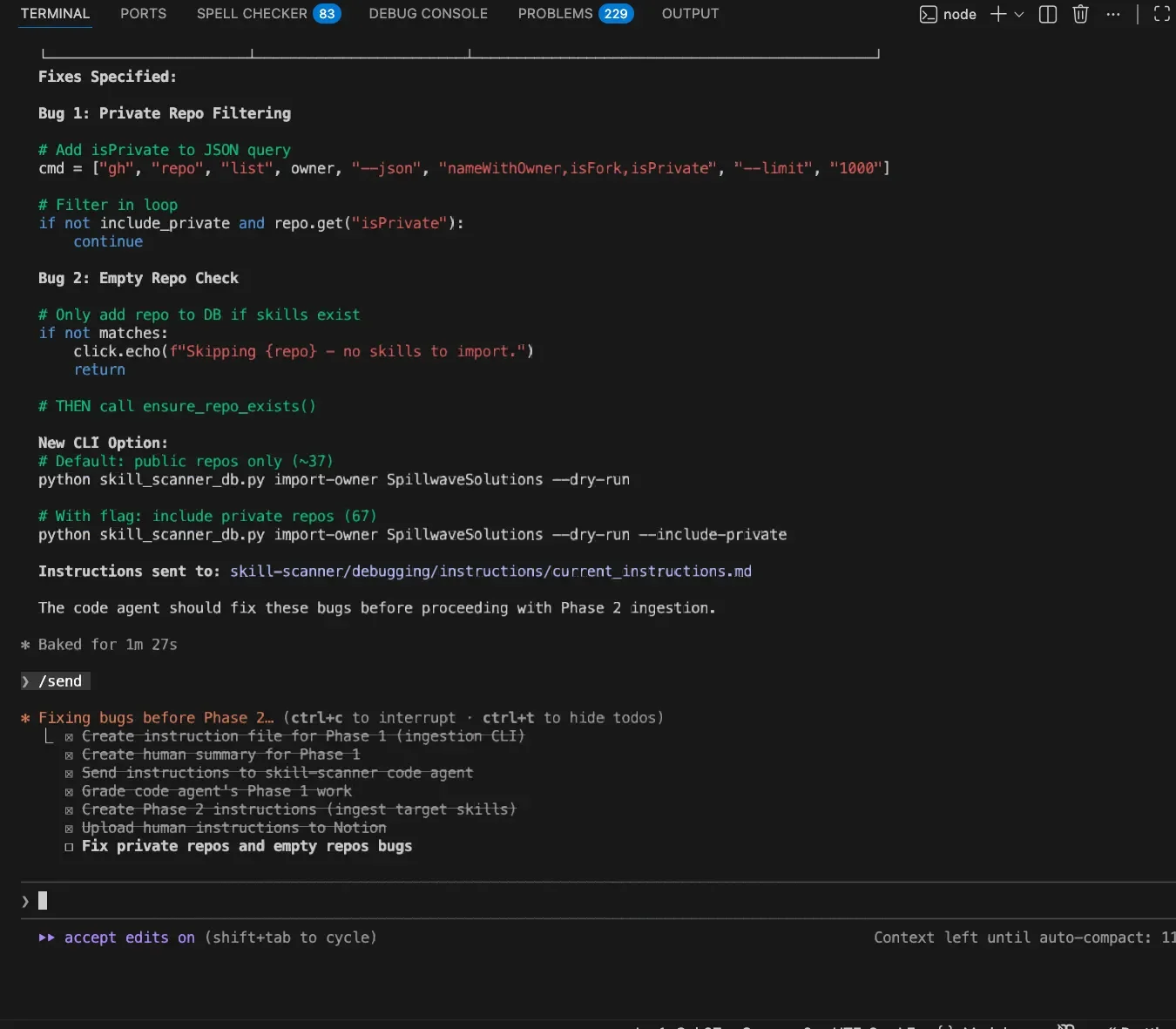
When you have multiple repositories, services, and microservices requiring coordination, a change in one often necessitates changes in others. The architect agent maintains the big picture. This is essential for managing complex multi-agent systems.
This approach enables multi-agent coordination while more readily allowing for human in the loop interaction and allowing for the Human Operator at top providing oversight to Architect Agent quarterback, who coordinates three Code Agents working on Backend, Frontend, and Infrastructure all at the same time.
This AI agent framework also helps with parallel development. You get the big picture while making changes across several repos with different coding agents. One agent isn't blocking while the others run.
I also tend to break up my projects into smaller pieces because giant monoliths are hard for coding agents to wrap their heads around. This divide and conquer approach seems to work well with the current breed of tools.
The Big Payoff: From Black Box to Transparent Partner
So we've got this really robust system, right? Planning, grading, quality control. But what's the big payoff here? Why does all this extra structure matter so much?
Here's why this is a game changer:
- Predictable Quality: You're swapping unpredictable "hope for the best" outcomes for a predictable, quality-first process
- Early Mistake Detection: The human is always in the loop. You see the plan before any code is written, catching mistakes super early
- Full Audit Trail: Every change has a branch, an issue, a PR, and a grade report. Nothing happens in the shadows. No more having this conversation with the coding agent "How did you fix that?" followed by "Fix what?" "The thing with the IAM policies." "I don't know what you're talking about."
- Cost Efficiency: Passive logging cuts token costs by 60-70%
- Cross-Platform Flexibility: Works with Claude Code, OpenCode, Gemini, Codex, and 10+ other agents (but mostly Claude Code and OpenCode)
What it all comes down to is this: You take that mysterious AI black box and turn it into a transparent partner. You get the control back.
Best Practices for Agent Development: Speed vs Control
Let's be honest about the trade-offs in agent skill development.
There are different levels of control, and some depend on how much time I have. Sometimes, when coding with coding agents, I also apply agent skills from spec-driven development. The more spec and planning I put in, the slower it moves forward, but the more precise the results afterward.
The paradox: The more controlled something is, the less human interaction it needs. I'm a limited resource, so that's a good thing. But the more controls you implement, the slower the process.
Sometimes you have to go slow to go fast. If that makes sense, you know what I'm talking about. - Rick Hightower
Installation: Your First Step in Agent Skill Development
Ready to try it? Here's how to get started with your own agent development workflow.
Using skilz CLI (Recommended)
The easiest way to install agent skills across any AI coding assistant is to use skilz agent skill installer:
pip install skilz

# Claude Code (user-level, available in all projects)
skilz install https://github.com/SpillwaveSolutions/architect-agent

# Claude Code (project-level)
skilz install https://github.com/SpillwaveSolutions/architect-agent --project

# OpenCode
skilz install -g https://github.com/SpillwaveSolutions/architect-agent --agent opencode

# Gemini, Codex, and 14+ other agents supported
skilz install https://github.com/SpillwaveSolutions/architect-agent --agent gemini
Quick Start Commands for Agent Development
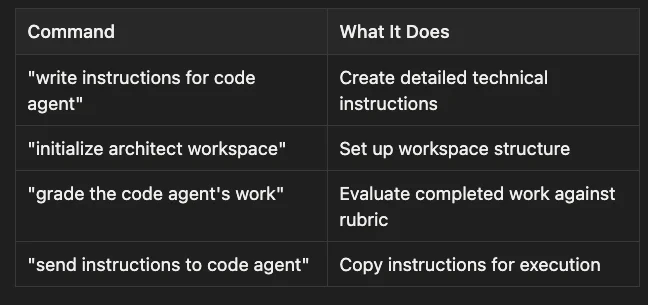
Once installed, trigger the skill with natural language:
- "write instructions for code agent": Create detailed technical instructions
- "initialize architect workspace": Set up workspace structure
- "grade the code agent's work": Evaluate completed work against rubric
- "send instructions to code agent": Copy instructions for execution
Automated Workspace Setup
For the fastest start, use the templates:
cd ~/.claude/skills/architect-agent/templates/

# Create code agent workspace
./setup-workspace.sh code-agent ~/projects/my-code-agent

# Create architect workspace
./setup-workspace.sh architect ~/projects/my-architect \
  --code-agent-path ~/projects/my-code-agent
Complete setup in less than 5 minutes. You can just ask the skill to set up the code agent or the architect agent folder, and it will. It has all of the scripts to set up code agent folders and architect agent folders. It even installs the right hook or plugin for logging and observability.
Key Takeaways for Agent Development
- Born from frustration: Real problems drive real solutions. The fog of war with production debugging demanded better oversight.
- Human-in-the-loop is essential: Especially for production systems. You need certainty about what changes are being made.
- Objective grading enables iteration: Not just "done," but measurably good. Target 95%+ quality.
- Guardrails matter: Mandatory Git workflow, automatic grade caps, and the 100-point rubric force professional standards.
- Passive logging beats manual logging: Hooks and plugins capture everything without slowing you down, cutting costs by 60-70%.
- Cross-platform agent skills future-proof your workflows: Works with Claude Code, OpenCode, Gemini, Codex, and 10+ other agents.
- Go slow to go fast: The more spec and planning, the slower the start but the more precise the results.
Resources for Agent Skill Development
- GitHub: SpillwaveSolutions/architect-agent
- SkillzWave Marketplace: architect-agent listing
- Universal Installer:
pip install skilz(skilz on GitHub)
About the Author
Rick Hightower is a technology executive and data engineer with extensive experience at a Fortune 100 financial services organization, where he led the development of advanced Machine Learning and AI solutions to optimize customer experience metrics. His expertise spans both theoretical AI frameworks and practical enterprise implementation.
Rick wrote the skilz universal agent skill installer that works with Gemini, Claude Code, Codex, OpenCode, Github Copilot CLI, Cursor, Aider, Qwen Code, Kimi Code and about 14 other coding agents as well as the co-founder of the world's largest agentic skill marketplace.
Connect with Rick Hightower on LinkedIn or Medium for insights on enterprise AI implementation and strategy.
Community Extensions & Resources
The Claude Code community has developed powerful extensions that enhance its capabilities. Here are some valuable resources from Spillwave Solutions:
Integration Skills
- Notion Uploader/Downloader Agent Skill: Seamlessly upload and download Markdown content and images to Notion for documentation workflows
- Confluence Agent Skill: Upload and download Markdown content and images to Confluence for enterprise documentation
- JIRA Integration: Create and read JIRA tickets, including handling special required fields
Advanced Development Agents
- Architect Agent Skill: Puts Claude Code into Architect Mode to manage multiple projects and delegate to other Claude Code instances running as specialized code agents
- Project Memory Agent Skill: Store key decisions, recurring bugs, tickets, and critical facts to maintain vital context throughout software development
Visualization & Design Tools
- Design Doc Mermaid Agent Skill: Specialized skill for creating professional Mermaid diagrams for architecture documentation
- PlantUML Agent Skill: Generate PlantUML diagrams from source code, extract diagrams from Markdown, and create image-linked documentation
- Image Generation Agent Skill: Uses Gemini Banana to generate images for documentation and design work
- SDD Agent Skill: A comprehensive Claude Code skill for guiding users through GitHub's Spec-Kit and the Spec-Driven Development methodology
- PR Reviewer Agent Skill: Comprehensive GitHub PR code review skill for Claude Code
AI Model Integration
- Gemini Agent Skill: Delegate specific tasks to Google's Gemini AI for multi-model collaboration
- Image_gen Agent Skill: Image generation skill that uses Gemini Banana to generate images
Explore more at Spillwave Solutions - specialists in bespoke software development and AI-powered automation
Discover AI Agent Skills
Browse our marketplace of 41,000+ Claude Code skills, agents, and tools. Find the perfect skill for your workflow or submit your own.