
Supercharge Your Mac: Claude Coworker Plugin for Native App Automation with 16 Agent Skills

A Proof of Concept Claude Coworker Plugin for Native App Automation
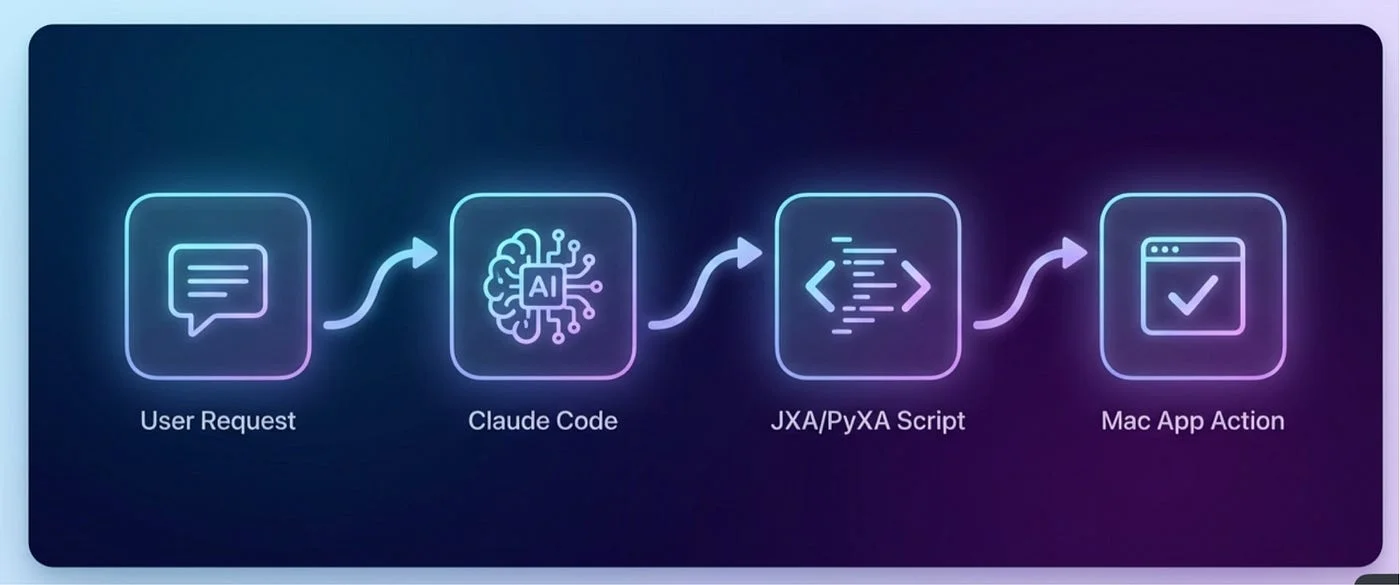
Hey there! I recently developed a Claude plugin called Automating Mac Apps.
Imagine it as a useful starting point, not yet a fully polished product. But it is quite useful already.
Claude Coworker is a great inspiration for this plugin. That tool is impressive, and I thought, why not expand its capabilities to macOS apps? Instead of just pretending to interact with your real apps, I wanted to make it actually work with them.
This plugin allows you to communicate with Claude Code, and voila! Stuff happens in Keynote, Numbers, Reminders, Mail, Contacts, Notes, and Messenger; over sixteen apps in total. It supports natural language input and includes Apple Events. Currently, it's early days, more like a proof of concept phase. However, it has enough functionality to be quite useful.
Architecture
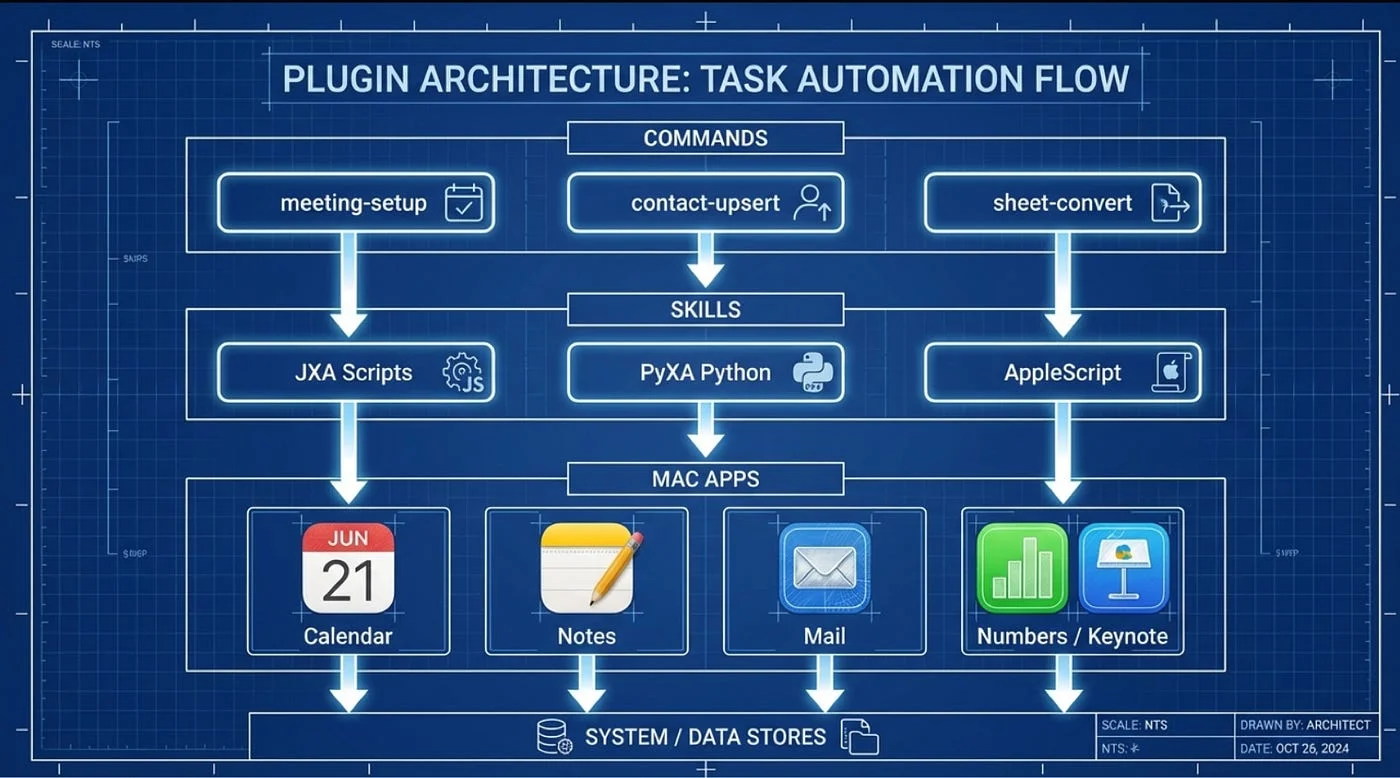
I've built a tool with three layers. Each layer handles the heavy lifting for a specific app. The Skills layer should work well with Claude Cowork and Claude Desktop.
If you're using Claude Code, you'll also find subagents and commands. Commands are those quick slashes like /csv-to-numbers. Agents can chain everything together for bigger tasks.
The code is mostly written in PyXA, but I also fall back to JXA or AppleScript if needed.
Setting Up
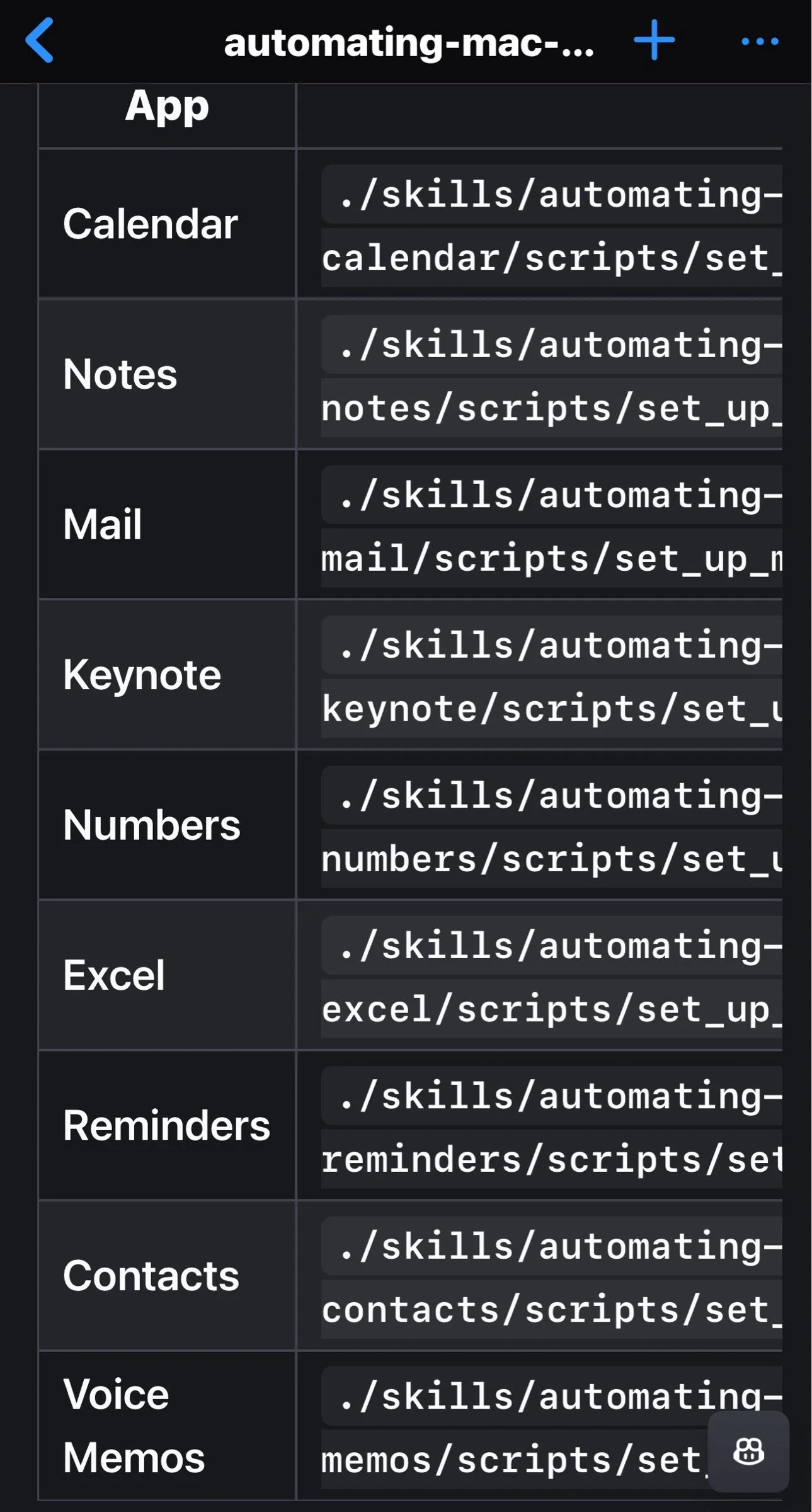
Setting up the tool is simple:
- Clone it from GitHub
- Run the permission script once
- Let macOS nag you about access
You'll also need Claude Code CLI and Python 3.10 or later. I'll describe how to install it in Claude Desktop and Claude Cowork in a later post so you won't need Claude Code CLI. Just Claude Desktop and Claude Cowork. Technically, you could do this already.
Supported Apps
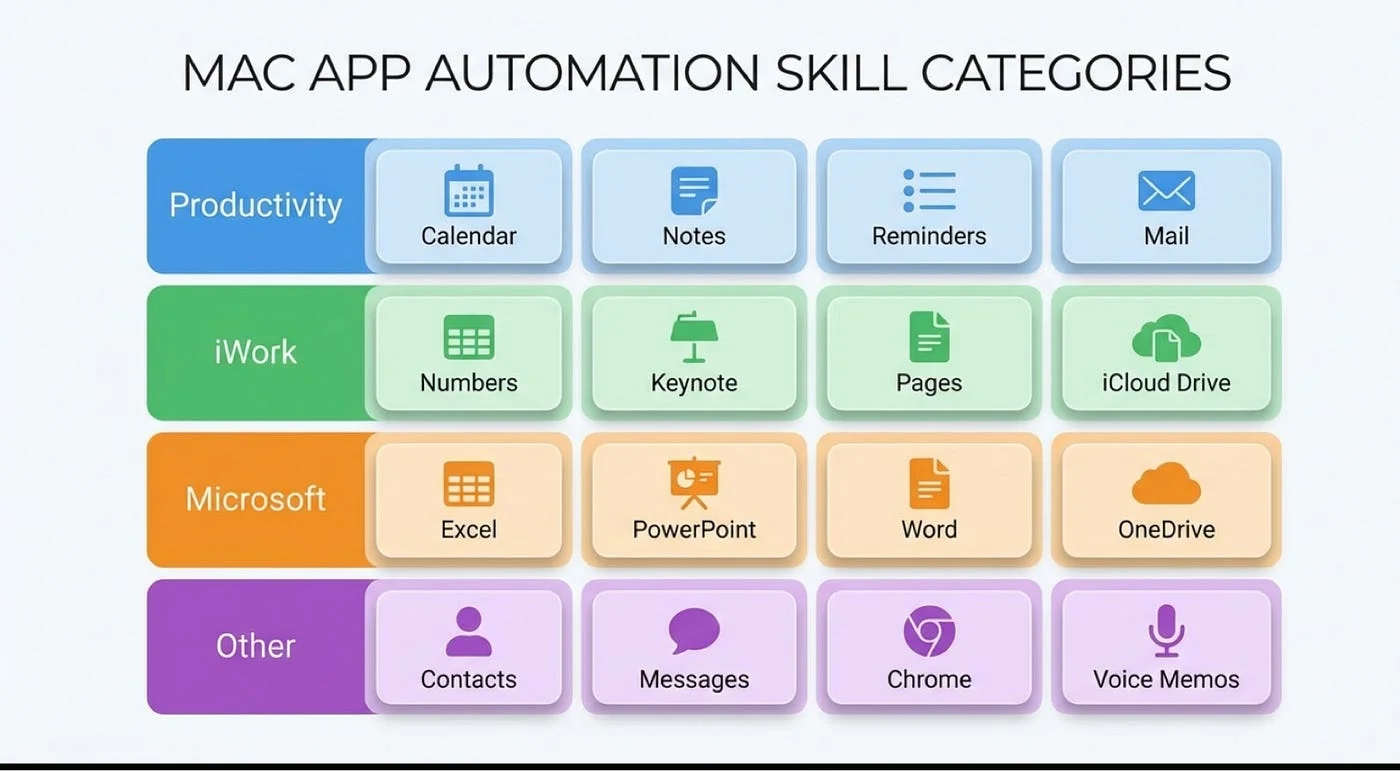
The tool works well with:
- Reminders
- Calendar
- Notes
- Keynote
- Numbers
- Contacts
- Messenger
The rest are still in development.
If you're a fan of Coworker, the Agent skills work well with it too.
Examples
Here are some examples of what you can do with the tool:
- Tell it to build a spreadsheet from CSV data
- Set up tomorrow's meeting and send a message to the team via Mail
- Even turn Markdown into slides
- Sends email with Mail and messages with Messenger when a long job is done
- Track action items from a meeting in Reminders
It's still early, but it's open source and licensed under the MIT license. Feel free to tweak it if you want. The repository is linked below. If you're bored at night, give it a try. No promises, though.
If you're running a long job with Ralph, you can tell it to remind you to check back in Reminders and send you a message on Messenger when done.
Get Started
Check out the repository: GitHub - SpillwaveSolutions/automating-mac-apps-plugin
Agents, Skills and Commands for automating Keynote, Notes, Reminders, Numbers and more using AppleScript and PyXA (JXA).
About the Author
Rick Hightower is a technology executive and data engineer with extensive experience at a Fortune 100 financial services organization, where he led the development of advanced Machine Learning and AI solutions to optimize customer experience metrics. His expertise spans both theoretical AI frameworks and practical enterprise implementation.
Rick wrote the skilz universal agent skill installer that works with Gemini, Claude Code, Codex, OpenCode, Github Copilot CLI, Cursor, Aider, Qwen Code, Kimi Code and about 14 other coding agents as well as the co-founder of the world's largest agentic skill marketplace.
Connect with Rick Hightower on LinkedIn or Medium for insights on enterprise AI implementation and strategy.
Community Extensions & Resources
The Claude Code community has developed powerful extensions that enhance its capabilities. Here are some valuable resources from Spillwave Solutions:
Integration Skills
- Notion Uploader/Downloader Agent Skill: Seamlessly upload and download Markdown content and images to Notion for documentation workflows
- Confluence Agent Skill: Upload and download Markdown content and images to Confluence for enterprise documentation
- JIRA Integration: Create and read JIRA tickets, including handling special required fields
Advanced Development Agents
- Architect Agent Skill: Puts Claude Code into Architect Mode to manage multiple projects and delegate to other Claude Code instances running as specialized code agents
- Project Memory Agent Skill: Store key decisions, recurring bugs, tickets, and critical facts to maintain vital context throughout software development
Visualization & Design Tools
- Design Doc Mermaid Agent Skill: Specialized skill for creating professional Mermaid diagrams for architecture documentation
- PlantUML Agent Skill: Generate PlantUML diagrams from source code, extract diagrams from Markdown, and create image-linked documentation
- Image Generation Agent Skill: Uses Gemini Banana to generate images for documentation and design work
- SDD Agent Skill: A comprehensive Claude Code skill for guiding users through GitHub's Spec-Kit and the Spec-Driven Development methodology
- PR Reviewer Agent Skill: Comprehensive GitHub PR code review skill for Claude Code
AI Model Integration
- Gemini Agent Skill: Delegate specific tasks to Google's Gemini AI for multi-model collaboration
- Image_gen Agent Skill: Image generation skill that uses Gemini Banana to generate images
Explore more at Spillwave Solutions - specialists in bespoke software development and AI-powered automation
Discover AI Agent Skills
Browse our marketplace of 41,000+ Claude Code skills, agents, and tools. Find the perfect skill for your workflow or submit your own.