
Skilz Documentation
Skilz is the universal package manager for AI skills. Install and manage AI skills (agents and tools) across multiple AI coding assistants with a single command.
$ Quick Install
pip install skilzRequires Python 3.10 or higher. See Installation Guide for alternative methods.
What is Skilz?
Today, installing AI skills requires manual file copying, marketplace browsing, or plugin commands that vary by tool. Skilz unifies this experience:
One Command
Install any skill from any Git repository with a single command. No more manual file copying.
Works Everywhere
Supports 22+ AI coding agents including Claude Code, OpenCode, Codex, Gemini, Copilot, and more.
Reproducible
Pin skills to specific commits for consistent behavior across environments.
Auditable
Manifest files track what's installed and where it came from. Full transparency.
Supported AI Assistants
Skilz works with all major AI coding assistants:
Green border = Home + Project support. Regular border = Project only. See Agent Guides for details.
How It Works
- Browse skills at Skillzwave.ai
- Copy the install command from the skill page
- Run
pip install skilzif you haven't already - Run the install command in your terminal
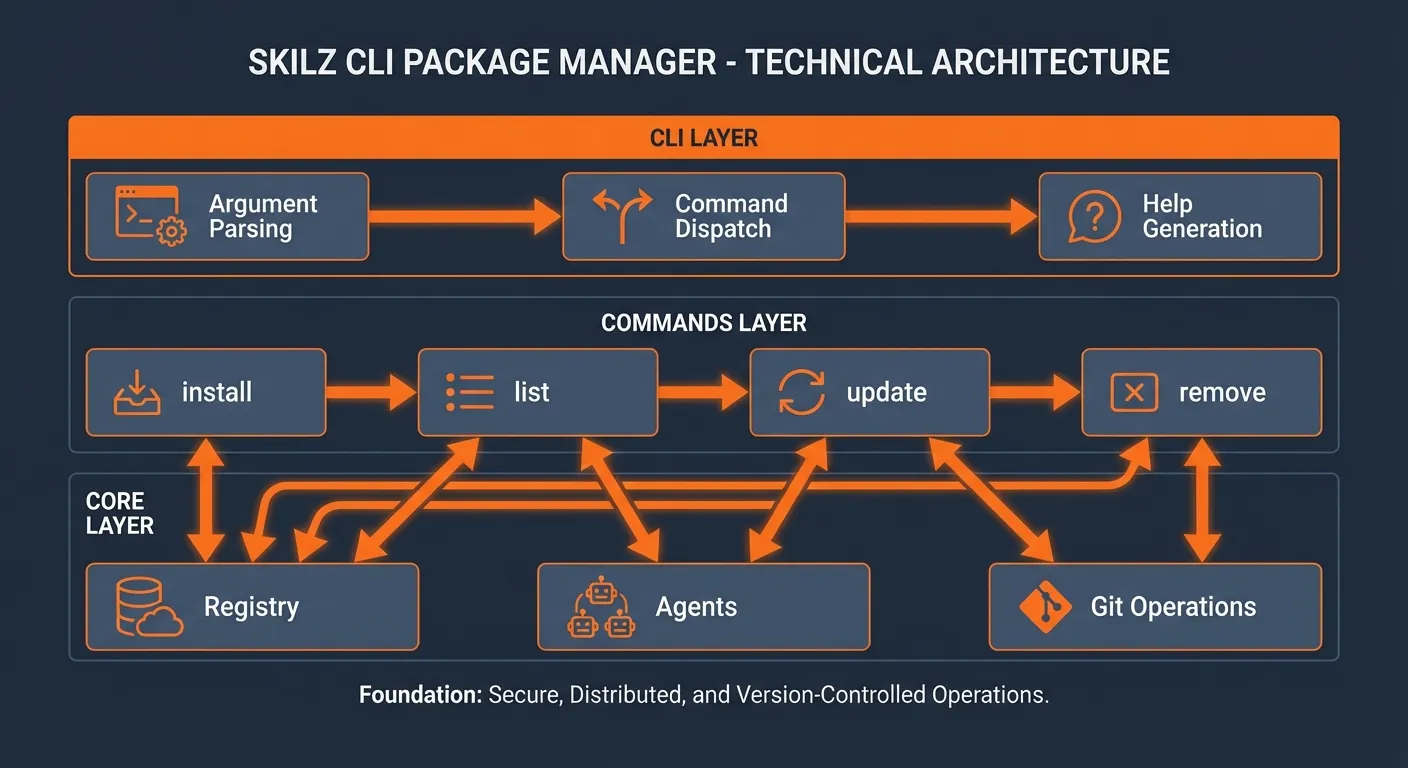
Each install command:
- Resolves the skill from the registry
- Clones the repository (or reuses an existing clone)
- Checks out the pinned commit
- Copies the skill to the appropriate location
- Writes a manifest for tracking
Documentation Sections
Quick Start Guide
Get up and running in minutes. Install Skilz and your first skill.
Complete Manual
Comprehensive documentation covering all features, configuration, and advanced usage.
Command Reference
Complete reference for all Skilz commands with examples.
Agent Guides
Per-agent setup instructions for all 14 supported AI assistants.
Built by Spillwave — Leaders in agentic software development. View on GitHub